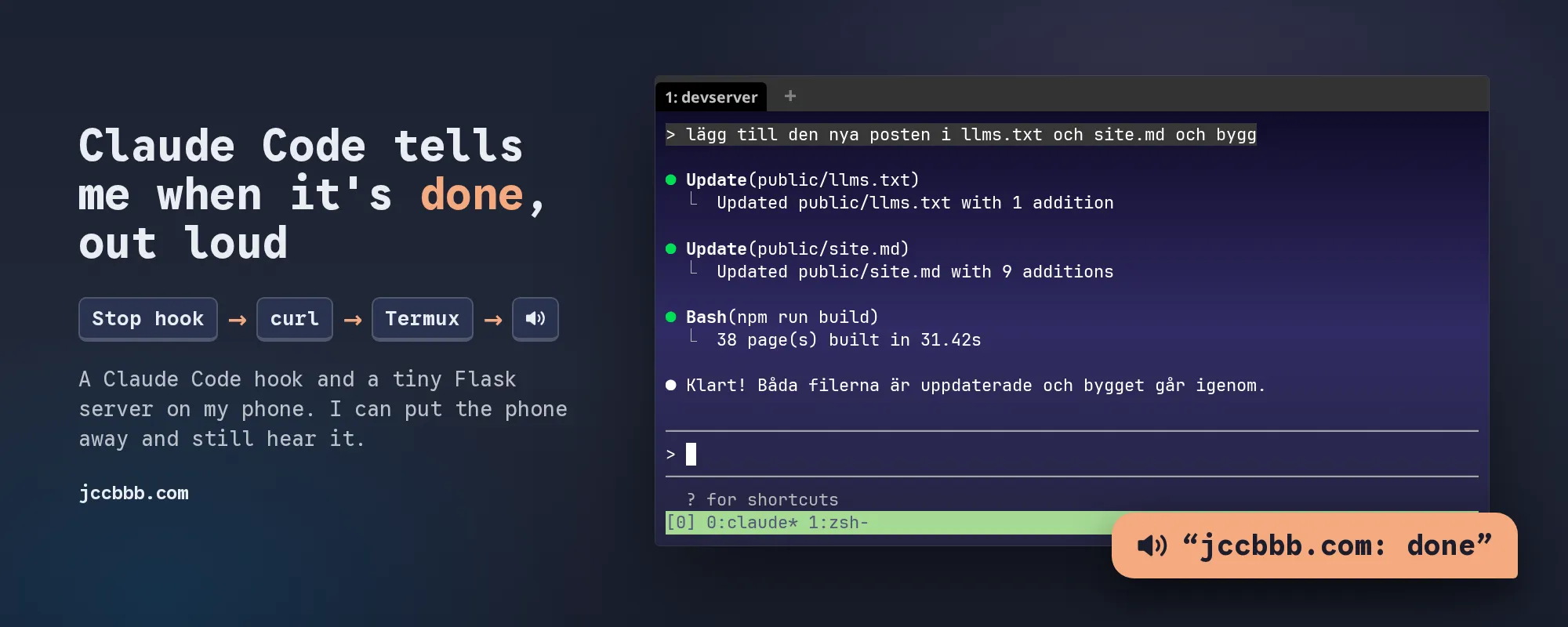
Claude Code works for a while, then it stops and waits for me. If I’m not looking at the terminal, it can wait for a long time, haha.
So now my phone tells me. Out loud. “jccbbb.com: done” when Claude is finished, and “jccbbb.com: needs permission” when it wants a yes from me.
I can have a headset or a speaker on, put the phone away or sit in other apps, and still hear it. 🎧
It’s two small pieces: a Claude Code hook, and a tiny Flask server in Termux on the phone.
How it fits together
flowchart TD
C[Claude Code is done on the devserver] --> H[Stop hook]
H -- "curl POST /speak" --> V[UniFi Dream Machine]
V -- "WireGuard or OpenVPN" --> P[My phone, wherever it is]
P --> F[Flask server in Termux]
F --> T[termux-tts-speak]
T --> E[Headset or speaker]
The devserver only sends a short piece of text. The phone does the talking.
The phone is always on my home network
Claude Code runs on my devserver, on my local network at home. My phone connects home with WireGuard or OpenVPN to my UniFi Dream Machine, which has a static IP. So the phone is always on my home network, whether I’m at home or not, and the devserver can always reach it.
The phone: Termux
You need Termux and the Termux:API app. Termux:API is the add-on that lets Termux use Android things, like text to speech. Then in Termux:
pkg install python termux-api
pip install flask
And the server, ~/tts-server.py:
from flask import Flask, request
import re
import subprocess

app = Flask(__name__)


@app.route('/speak', methods=['POST'])
def speak():
    data = request.get_json(silent=True) or {}
    text = str(data.get("text", ""))[:200]
    lang = str(data.get("lang", "en-US"))   # default språk

    try:
        rate = min(max(float(data.get("rate", 1.0)), 0.5), 2.0)
    except (TypeError, ValueError):
        return {"status": "error", "error": "bad rate"}, 400

    if not text or not re.fullmatch(r"[a-z]{2,3}(-[A-Z]{2})?", lang):
        return {"status": "error", "error": "bad text or lang"}, 400

    # A list of arguments, no shell: the text is only ever text.
    subprocess.run(["termux-tts-speak", "-l", lang, "-r", str(rate), text])

    return {"status": "ok"}


app.run(host="0.0.0.0", port=5000)tts-server.py
Start it with python tts-server.py. I start it when I want to hear Claude, and that’s it. The screen can be off.
One thing I learned here: my first version ran os.system(f'termux-tts-speak ... "{text}"'). It works fine, until the text contains $(...) and your phone runs it as a command. Not great for a server that my whole home network can reach, haha. With a list of arguments to subprocess.run there is no shell, so the text is only ever text.
Test it from the devserver (with your phone’s IP on your network):
curl -X POST http://192.0.2.10:5000/speak \
  -H 'Content-Type: application/json' \
  -d '{"text":"hello from the terminal"}'
Tip: if Android stops Termux on your phone when the screen is off, termux-wake-lock keeps it running. I haven’t needed it.
Claude Code: two hooks
The other half is two hooks in ~/.claude/settings.json:
{
  "hooks": {
    "Stop": [
      {
        "hooks": [
          {
            "type": "command",
            "command": "NAME=\"${TTS_PROJECT_NAME:-${CLAUDE_PROJECT_NAME:-Claude}}\"; curl -s --max-time 2 -X POST http://${TTS_HOST}:5000/speak -H 'Content-Type: application/json' -d \"$(jq -nc --arg t \"${NAME}: done\" '{text:$t,lang:\"en-US\"}')\" >/dev/null 2>&1 || true"
          }
        ]
      }
    ],
    "Notification": [
      {
        "matcher": "permission_prompt",
        "hooks": [
          {
            "type": "command",
            "command": "NAME=\"${TTS_PROJECT_NAME:-${CLAUDE_PROJECT_NAME:-Claude}}\"; curl -s --max-time 2 -X POST http://${TTS_HOST}:5000/speak -H 'Content-Type: application/json' -d \"$(jq -nc --arg t \"${NAME}: needs permission\" '{text:$t,lang:\"en-US\"}')\" >/dev/null 2>&1 || true"
          }
        ]
      }
    ]
  }
}settings.json
What the pieces do:
- Stop runs when Claude has finished answering and waits for me. Not when I interrupt it myself.
- Notification with
permission_promptruns when Claude has waited about six seconds for a yes and I haven’t typed anything. - I don’t use
idle_prompt. It comes about a minute after Stop, so I heard everything twice. --max-time 2and|| true: if the phone is off or the server isn’t running, curl gives up after two seconds and Claude never notices.jqbuilds the JSON, so a project name with quotes in it can’t break anything.TTS_HOSTis the phone’s IP on my home network, in one environment variable. New IP on the phone, one place to change.- The name comes from
TTS_PROJECT_NAMEorCLAUDE_PROJECT_NAME, which my dev container sets. Without them it just says “Claude: done”. If you want the folder name instead, use$(basename "$CLAUDE_PROJECT_DIR").
Done
That’s it. Claude works, I do something else, and my headset tells me when it’s my turn again. 😊